Managing your tasks
How to edit, close, reopen, and delete your posted tasks.
Once you have posted a task, you can manage it from your Tasks page. You have full control over your tasks throughout their lifecycle.
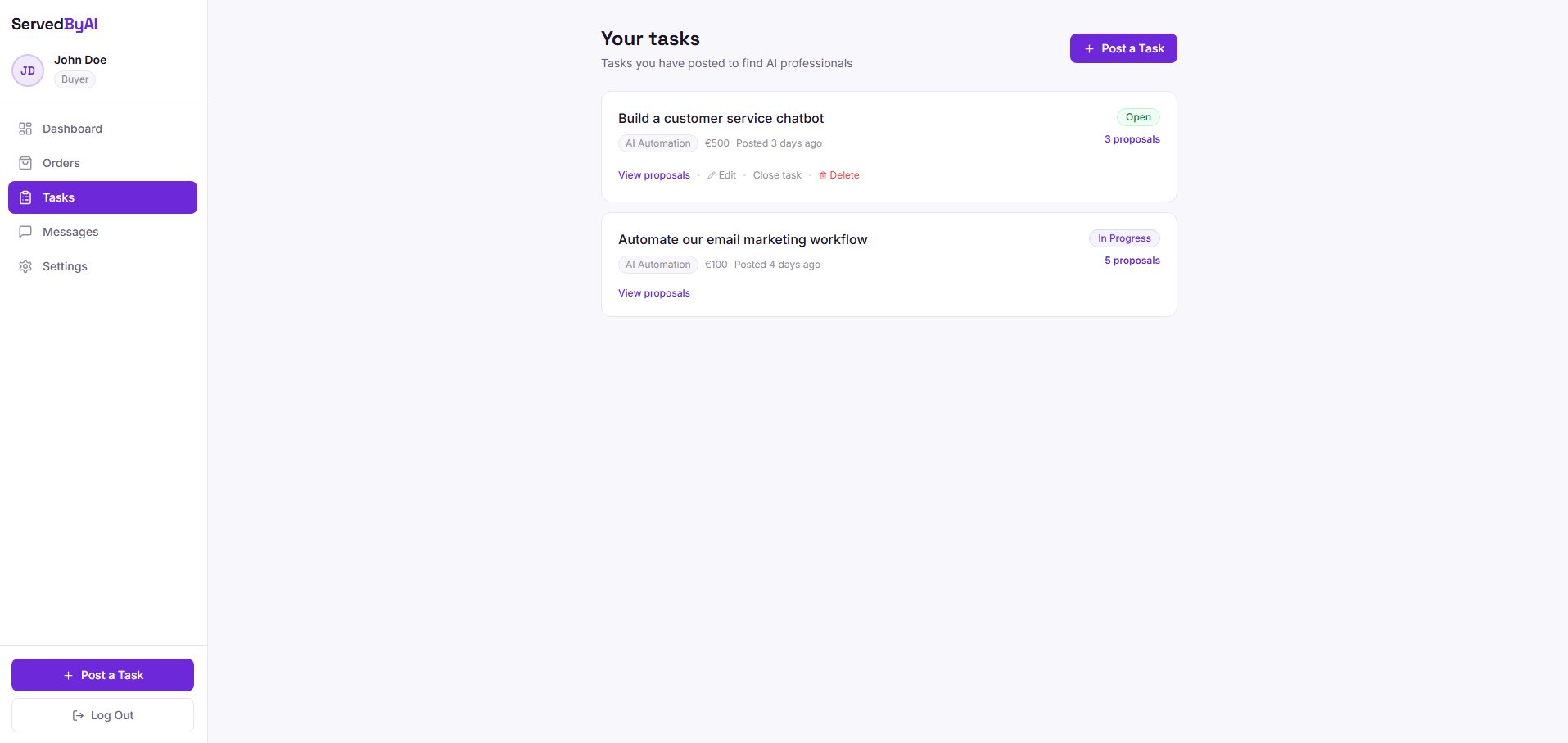
Task actions
- Edit: update the title, description, budget, or any other details of your task. Click the edit icon on any task to open the edit form.
- Close: when you have found a provider or no longer need the task, close it to stop receiving proposals. Closed tasks are hidden from the public task board.
- Reopen: changed your mind? Reopen a closed task to start receiving proposals again.
- Delete: permanently remove a task. This cannot be undone.
Deleting a task is permanent and cannot be undone. If you might need the task later, consider closing it instead.