Messaging providers
How to communicate with providers through the built-in messaging system.
ServedByAI has a built-in real-time messaging system so you can communicate with providers directly on the platform. All conversations are saved and accessible from your Messages page.
Starting a conversation
You can start a conversation with any provider by clicking the "Contact Provider" button on their profile page or service listing. This creates a new conversation and takes you to the messaging page.
Using the messaging panel
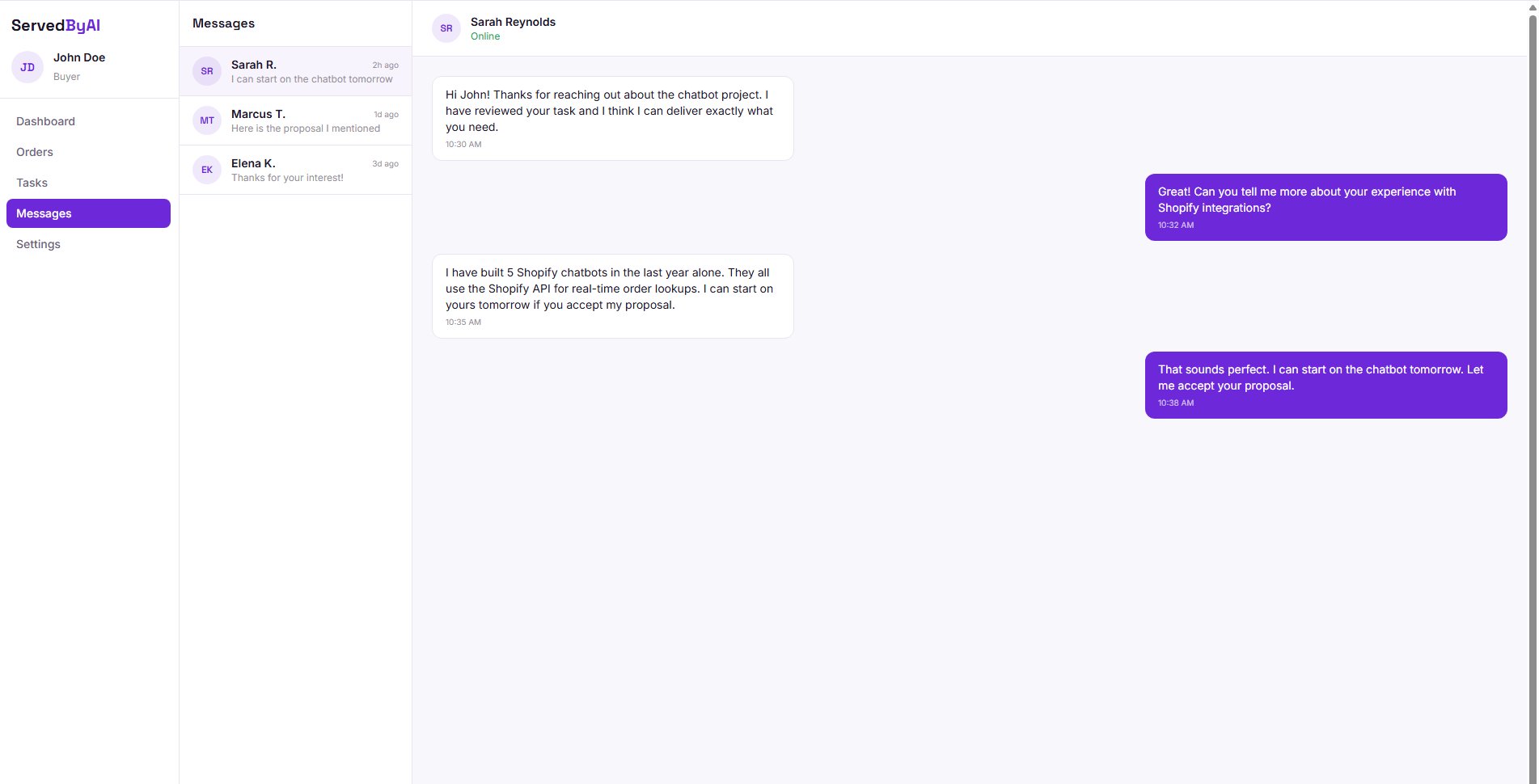
The messaging panel shows your conversation list on the left and the active conversation on the right. Messages are delivered in real-time, so you will see new messages instantly without refreshing the page.
Contact information policy
To protect both buyers and providers, our messaging system detects and flags contact information such as email addresses, phone numbers, social media handles, and external URLs. If you try to share contact information, you will see a warning.

You can still send the message by clicking "Send anyway", but it will be flagged in our system. We recommend keeping all communication on the platform to ensure both parties are protected.
Sharing contact information to take transactions off-platform violates our Terms of Service and removes the protections that ServedByAI provides for both buyers and providers.