Reviewing and accepting proposals
How to review, accept, or decline proposals from providers.
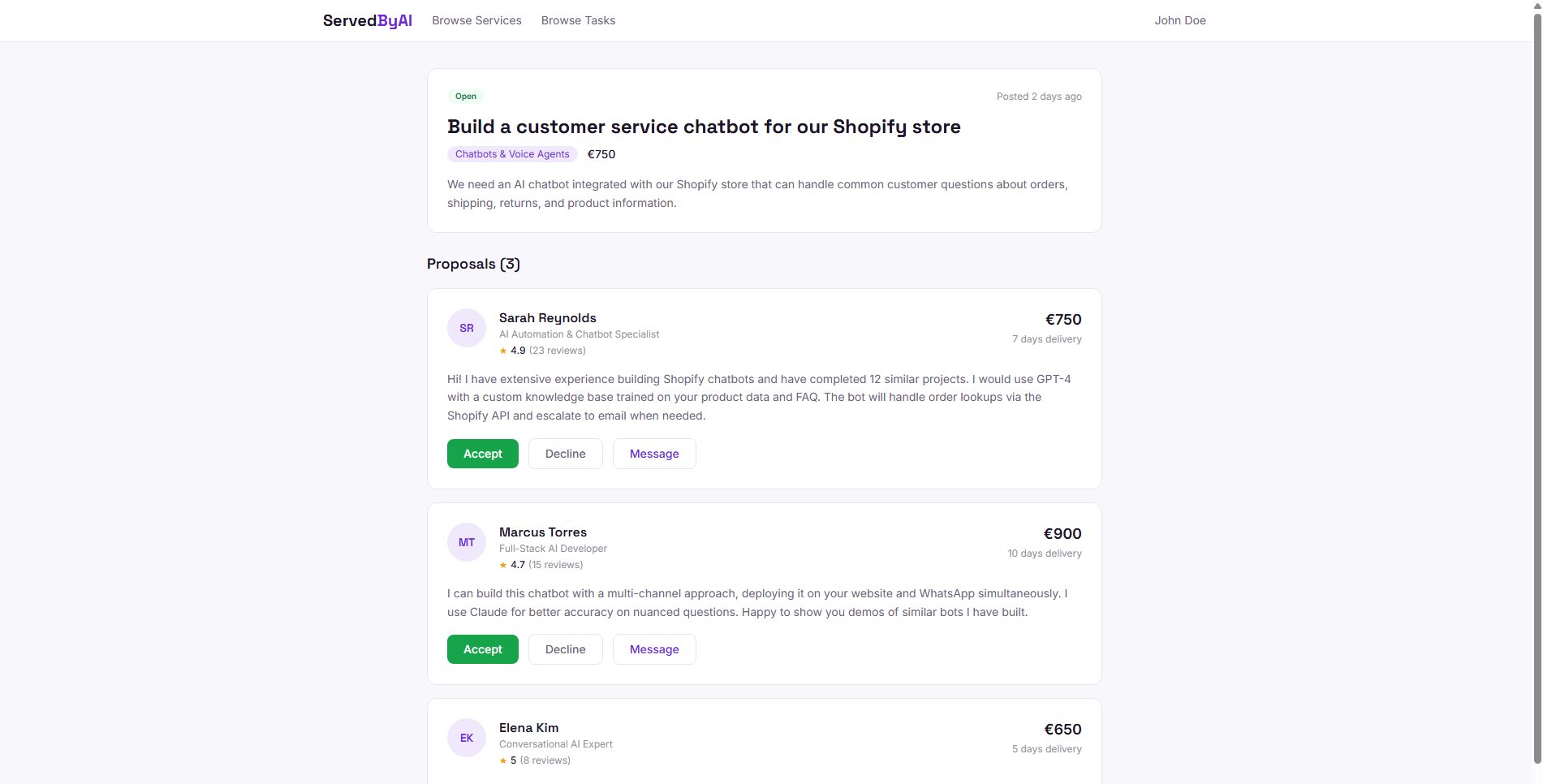
When providers submit proposals on your tasks, you will see them on the task detail page. Each proposal includes the provider's message, proposed price, and estimated delivery time.
Viewing proposals
Go to your task
From your Tasks page, click on any task that has received proposals. You will see a badge showing the number of proposals.
Review each proposal
Each proposal shows the provider's name, their message explaining their approach, proposed price, and delivery timeline. Click on the provider's name to view their full profile.
Accepting a proposal
When you find a proposal that matches your needs, click the "Accept" button. This will:
- Mark the selected proposal as accepted
- Automatically decline all other pending proposals on the same task
- Change the task status to "In Progress"
- Notify the provider that their proposal was accepted
Declining a proposal
If a proposal does not meet your requirements, click the "Decline" button. The provider will be notified. You can decline individual proposals while waiting for others.
Before accepting, use the messaging feature to ask the provider any clarifying questions about their approach or timeline.
After the order is completed
Once the provider delivers the work and you accept it, the order is marked as completed and payment is released. You will then see a "Leave a Review" button on the order in your Orders page.
Reviews consist of a 1 to 5 star rating and an optional written review. Your review will appear on the provider's public profile and helps other buyers make informed decisions. You can only review completed orders, and each order can only be reviewed once.
Taking a moment to leave a review helps the entire community. Providers rely on reviews to build their reputation, and other buyers rely on them to find quality providers.