Creating a service listing
How to create and manage your service listings.
Service listings are how buyers find you on ServedByAI. Each listing describes a specific service you offer, with pricing, delivery timeline, and images of your work.
Creating a new service
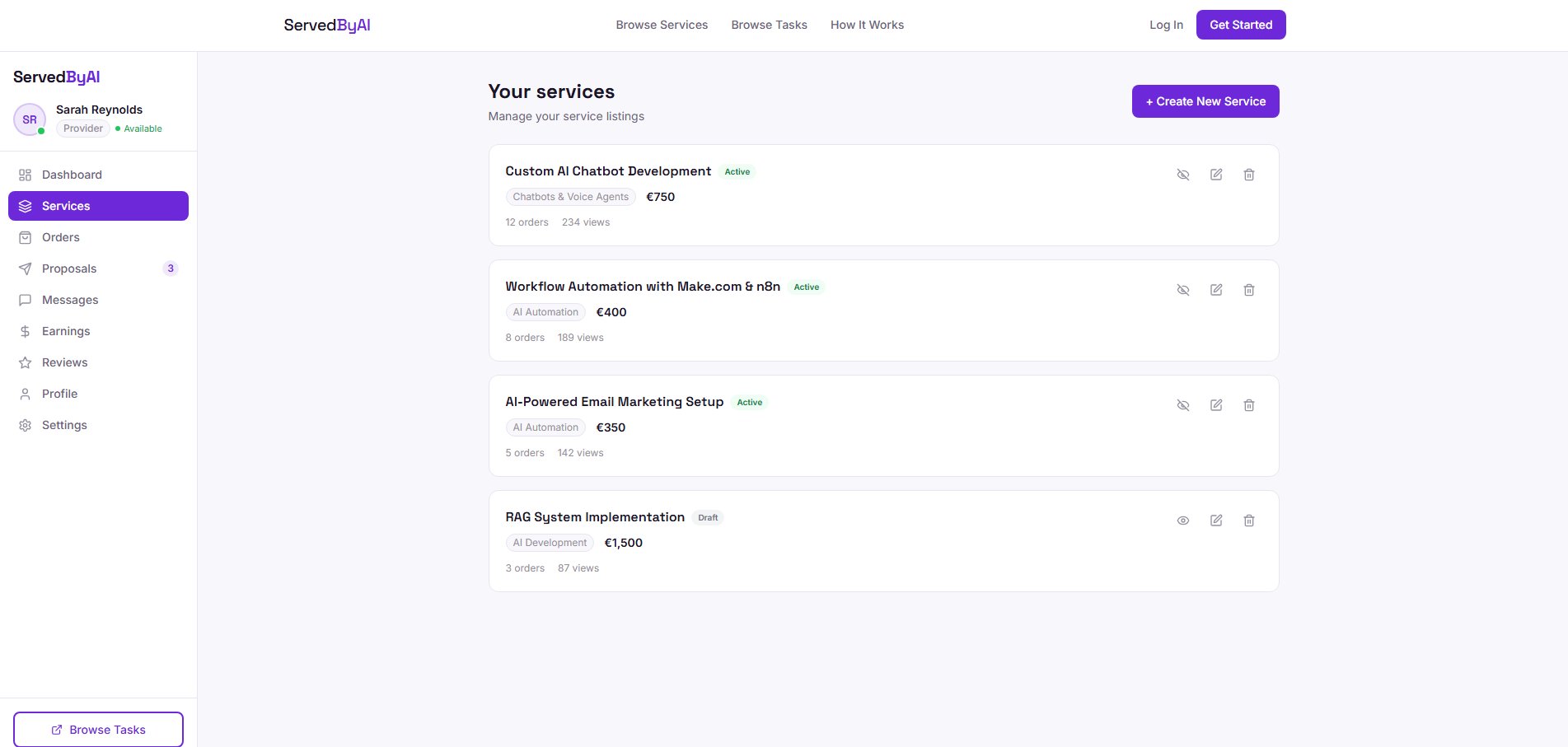
Go to Services
From your provider sidebar, click "Services" then "Create New Service".
Choose a category
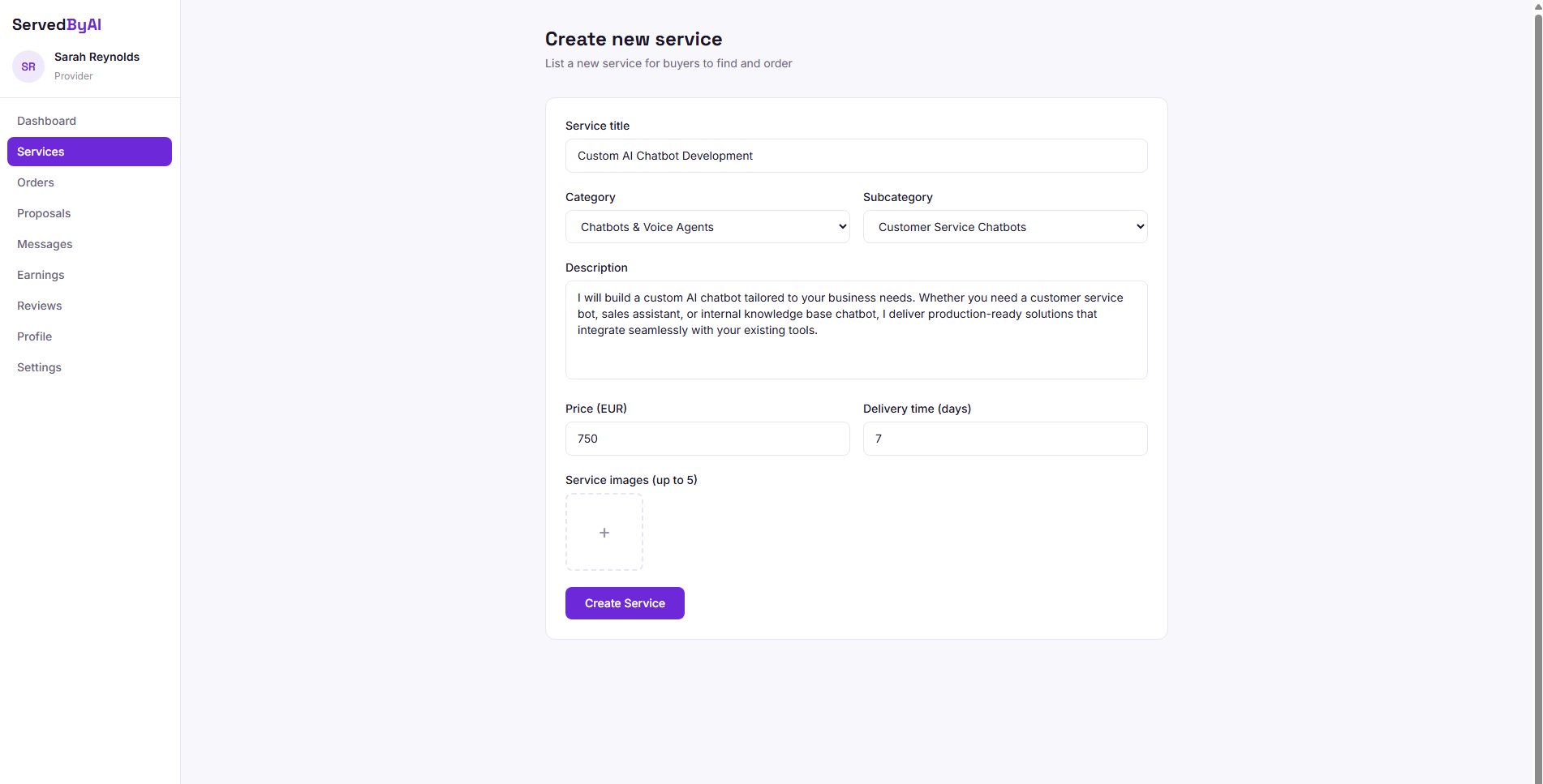
Select the category and subcategory that best fits your service. This helps buyers find your listing when browsing.
Write your listing
Add a clear, descriptive title and a detailed description of what is included. Be specific about deliverables, tools used, and what makes your service unique.
Set pricing and delivery
Enter your price and estimated delivery time. Be competitive but realistic with your pricing.
Upload images
Add up to 5 images showcasing your previous work, process, or results. High-quality images significantly increase buyer interest.
Publish
Click "Create Service" to publish your listing. It will appear on the relevant category page immediately.
Managing your services
From your Services page, you can:
- Toggle active/draft: temporarily hide a service without deleting it by switching it to draft mode
- Edit: update any details of your service including title, description, pricing, and images
- Delete: permanently remove a service listing
Keep your service listings up to date. If your pricing or availability changes, update your listings promptly to avoid mismatched expectations.