Provider dashboard overview
Understanding your provider dashboard and analytics.
Your provider dashboard is your command center. It shows your key metrics, recent activity, and quick access to everything you need to manage your business on ServedByAI.
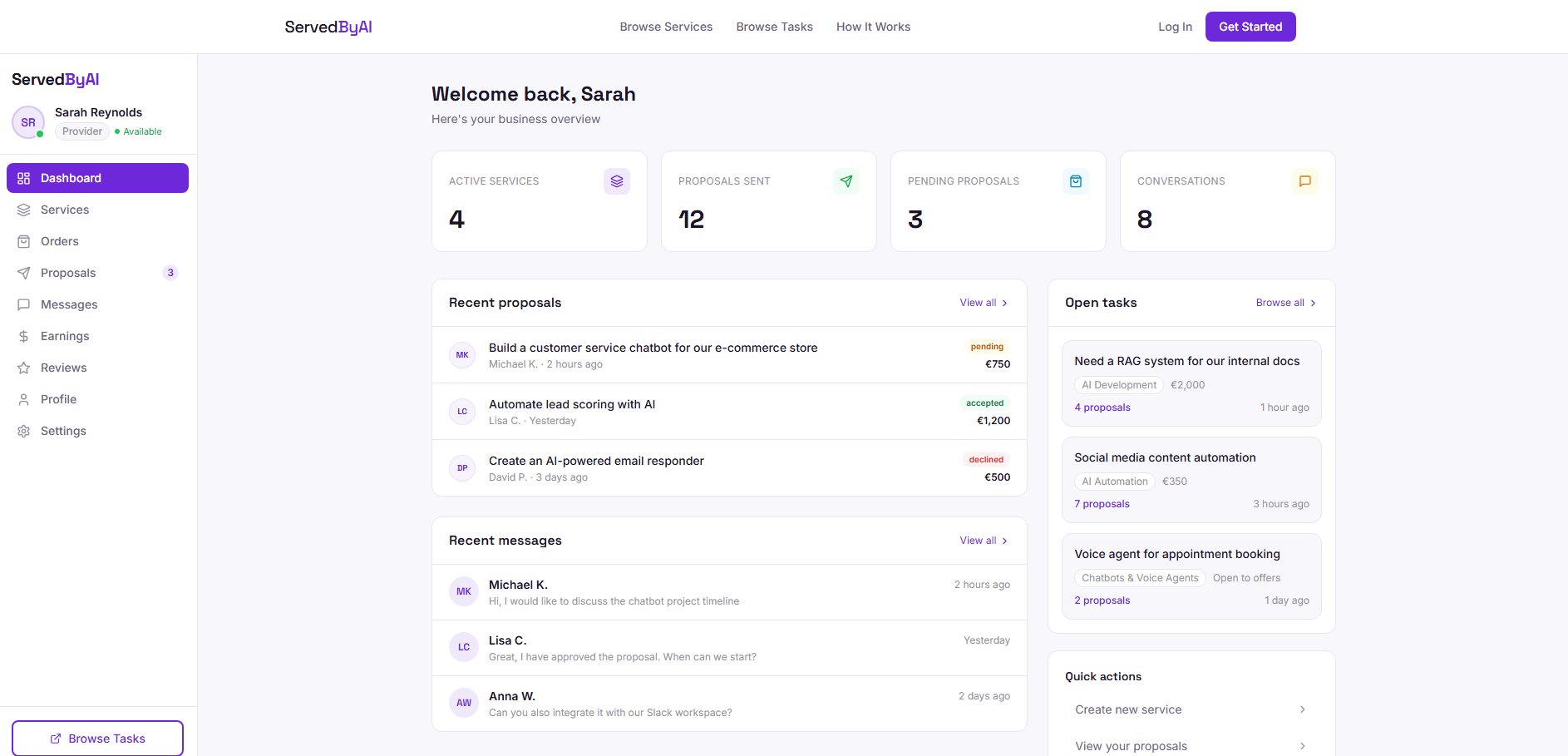
Dashboard stats
- Active Services: the number of services you currently have published
- Pending Proposals: proposals waiting for buyer review
- Active Orders: orders currently in progress
- Total Earnings: your cumulative earnings on the platform
Sidebar badges
Badges on the sidebar indicate items that need your attention. For providers, you will see badges on "Proposals" when you have proposals that have been accepted or declined by buyers, so you know to follow up.
Reviews and ratings
After a buyer completes an order, they can leave a review with a 1 to 5 star rating and optional written feedback. You can view all your reviews from the "Reviews" page in your sidebar.
Your reviews page shows your average rating, a breakdown of ratings by star count, and each individual review with the buyer's name, rating, feedback, and the project it relates to. Your average rating and review count also appear on your public profile, helping you attract new clients.
Reviews can only be left on completed orders, which means every review is tied to a real transaction. This prevents fake reviews and ensures the rating system is trustworthy for everyone.
After completing an order, consider sending the buyer a thank-you message. A positive closing interaction often encourages buyers to leave a review. Never pressure buyers for reviews though, as this creates a poor experience.