Setting up your provider profile
Complete guide to creating a compelling provider profile.
Your provider profile is your storefront on ServedByAI. A complete and professional profile helps you stand out and win more clients. When you sign up as a provider, you will go through a guided onboarding process.
Provider onboarding steps
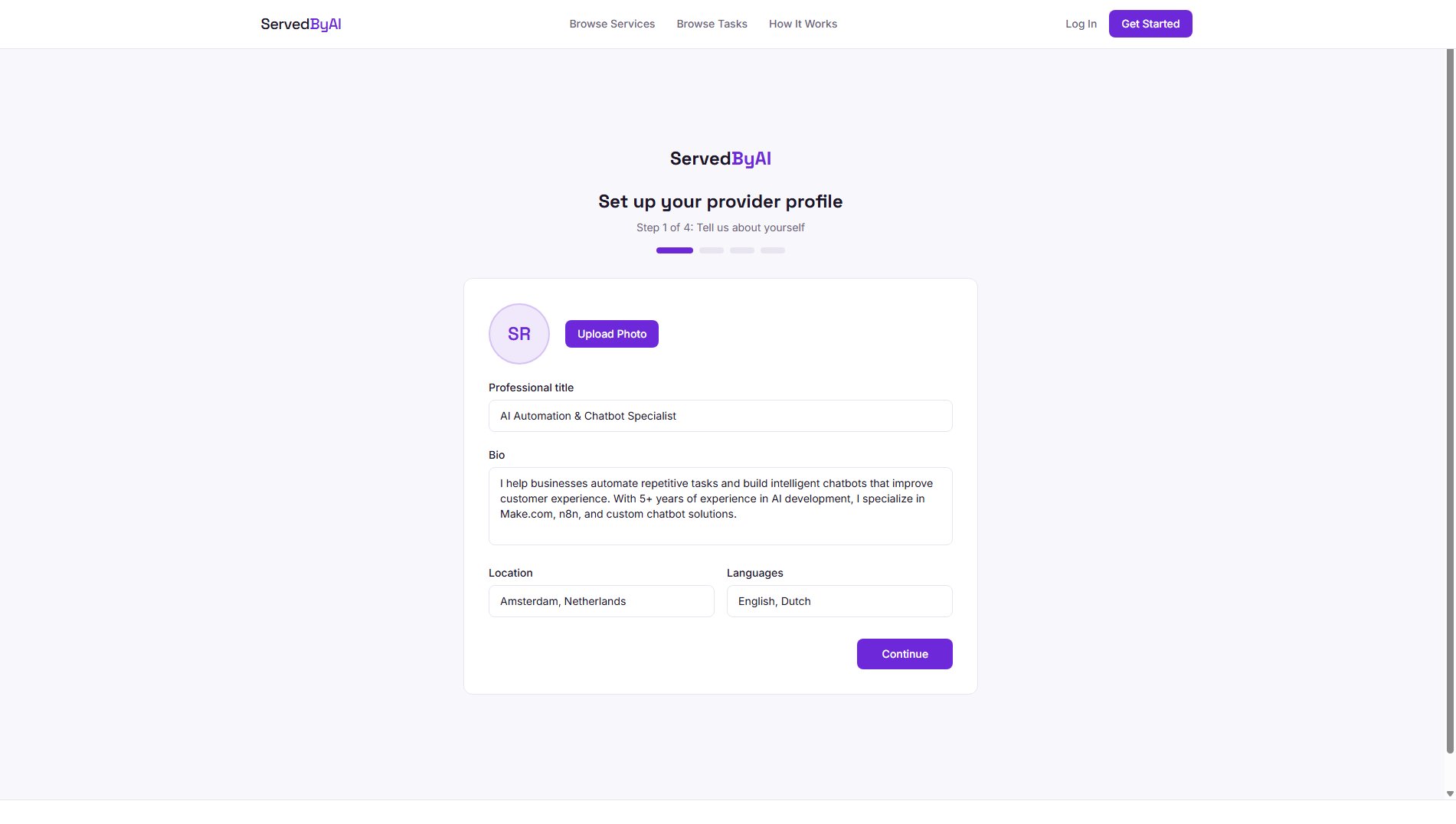
Step 1: Profile basics
Add your professional title (e.g., "AI Automation Specialist"), a bio describing your experience and expertise, your location, and the languages you speak. Upload a professional photo or avatar.
Step 2: Portfolio
Add links to your portfolio, GitHub, LinkedIn, or any other relevant profiles that showcase your work.
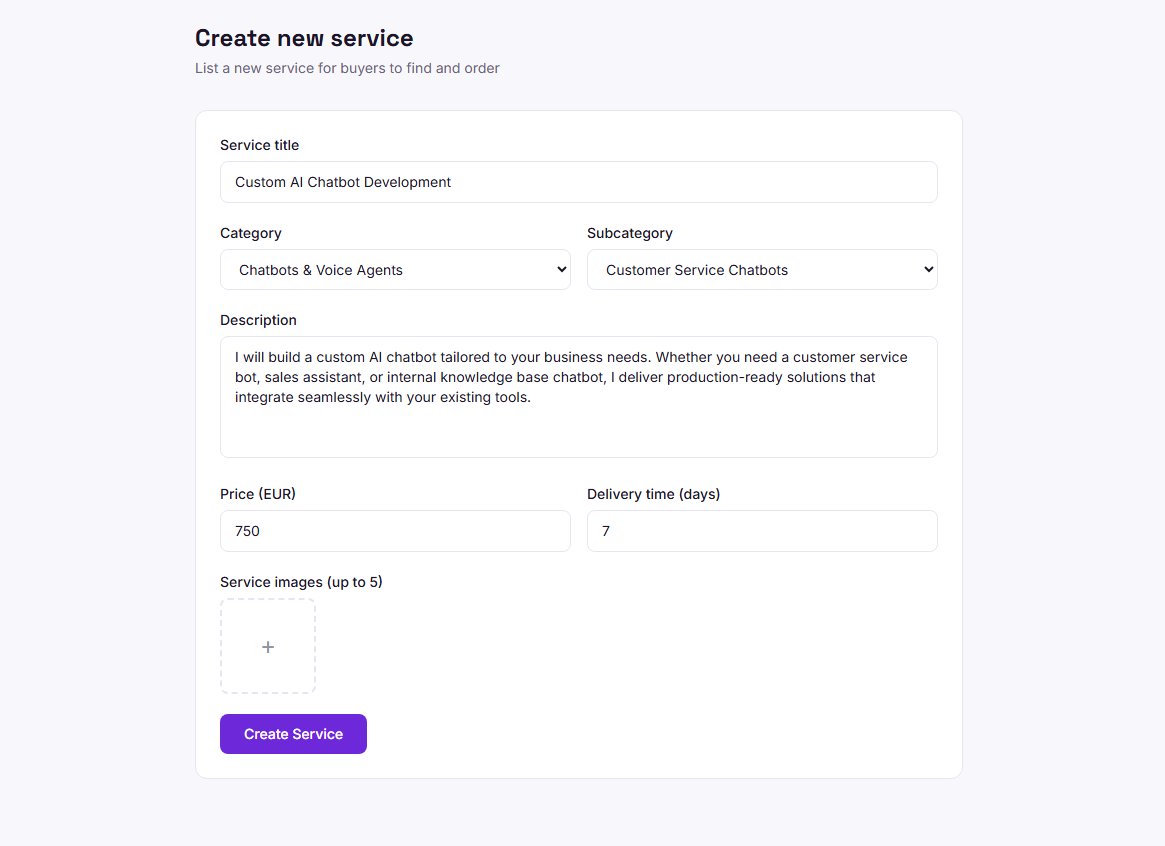
Step 3: Your first service
Create your first service listing. Choose a category, write a compelling title and description, set your pricing tiers, and upload images.
Step 4: Payment setup
Connect your Stripe account to receive payments. This step is required before you can accept paid orders.
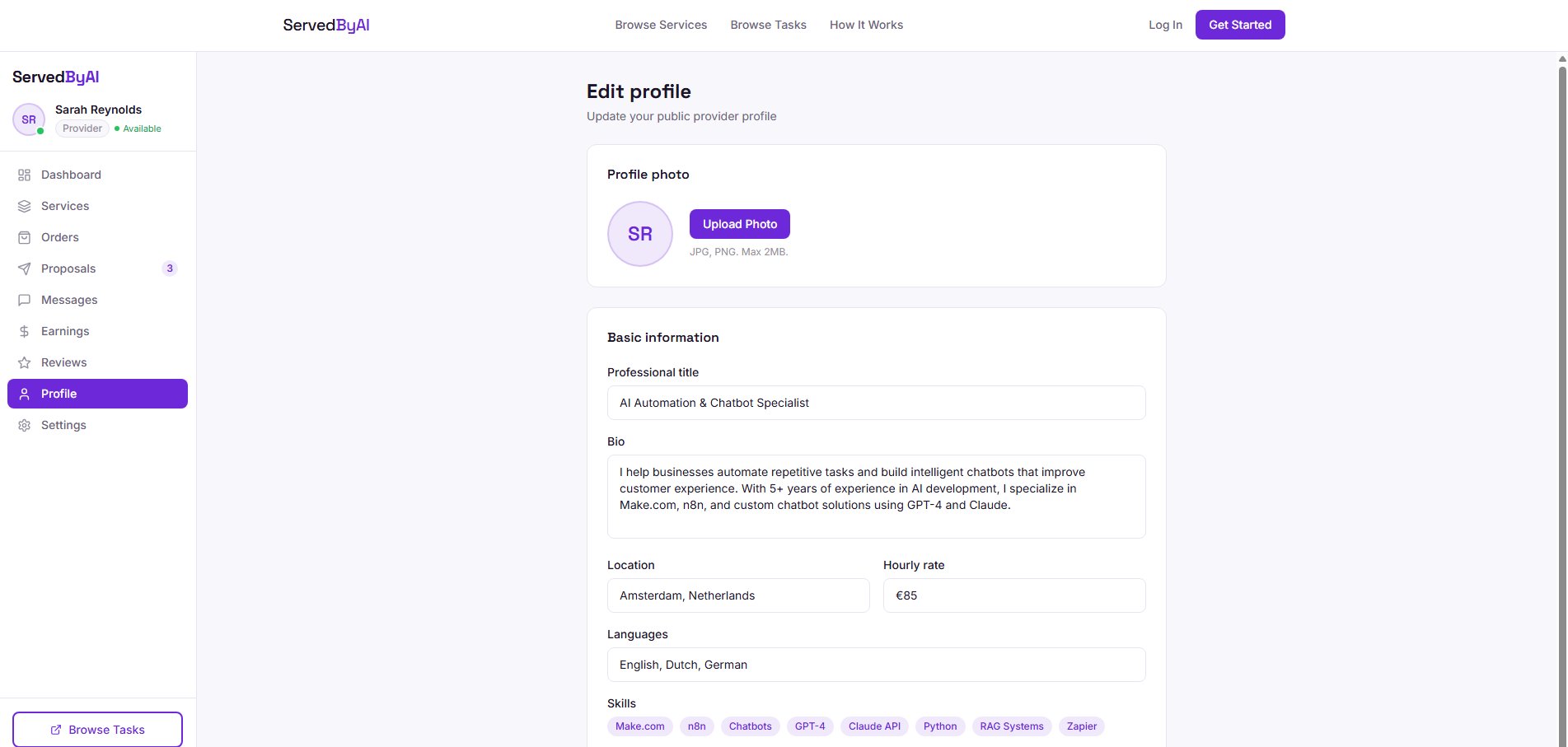
Editing your profile
After onboarding, you can always update your profile by going to "Profile" in the provider sidebar. You can change your avatar, update your bio, modify your skills, and adjust your hourly rate.
Profiles with professional photos, detailed bios, and complete portfolios get up to 5x more views than incomplete profiles.